Finding crash logs on Windows 8 is easier than you might think.
1. Go to the Search area in the right-hand pane.

Accessing Search on Windows 8
2. Type in “Event Viewer”.
3. Click or tap on “Settings” to limit search to this area, then click or tap on “View event logs”.
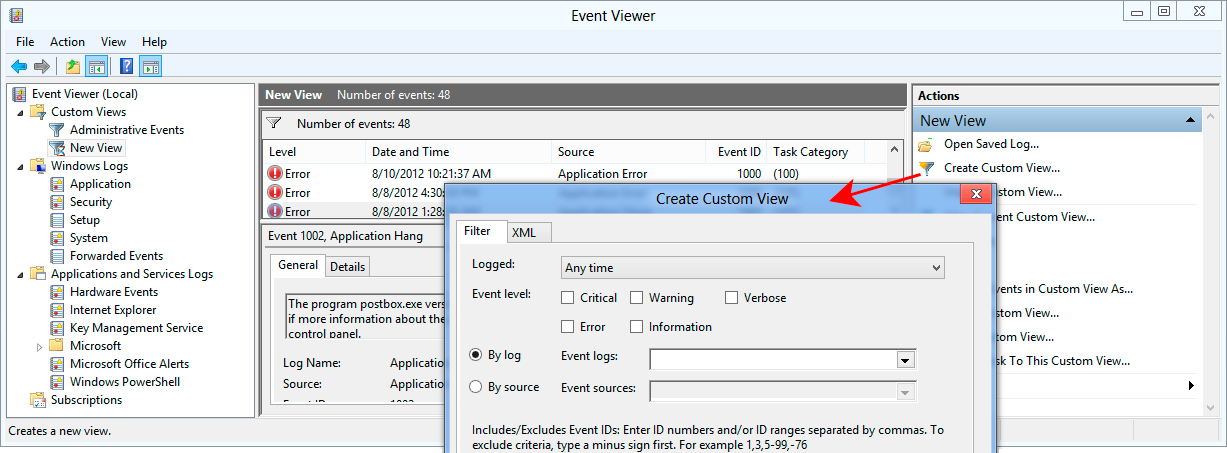
4. In the Event Viewer, click or tap on “Create Custom View”. Enter your criteria and confirm.
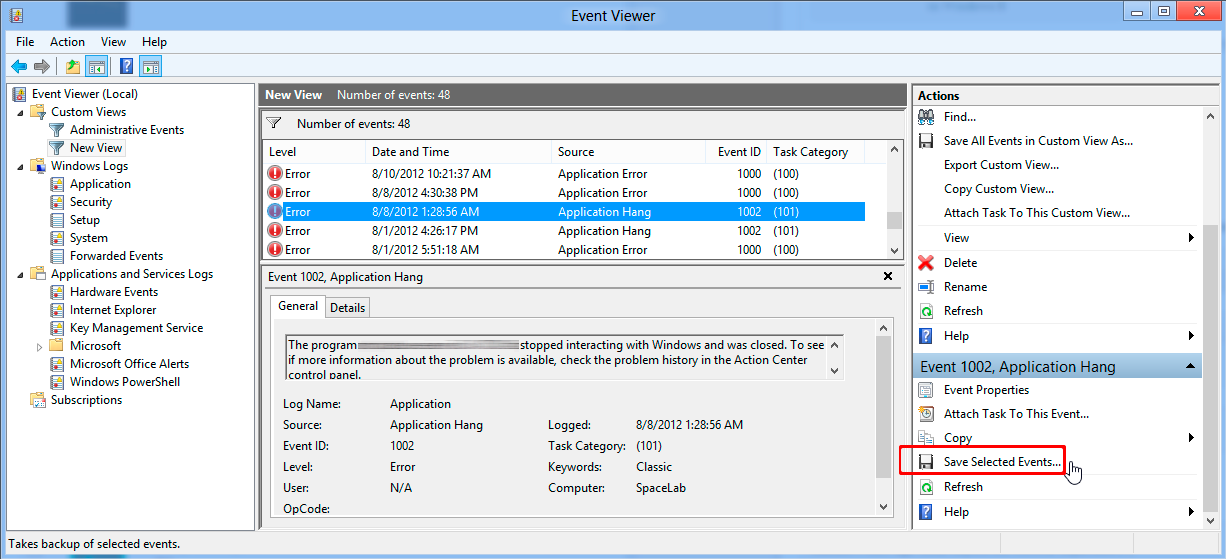
5. Navigate through the list of entries and/or adjust your filter criteria until you find what you are looking for.
6. In case you need some of the logs for external diagnostics, make your selection in the list, then simply hit “Save selected events…”.